
向表单添加 Zoho Recruit 字段
- 打开表单构建器。
- 向表单添加集成字段。(请参阅此页以了解如何向表单添加字段)
在服务旁边的下拉菜单中选择 Zoho Recruit。
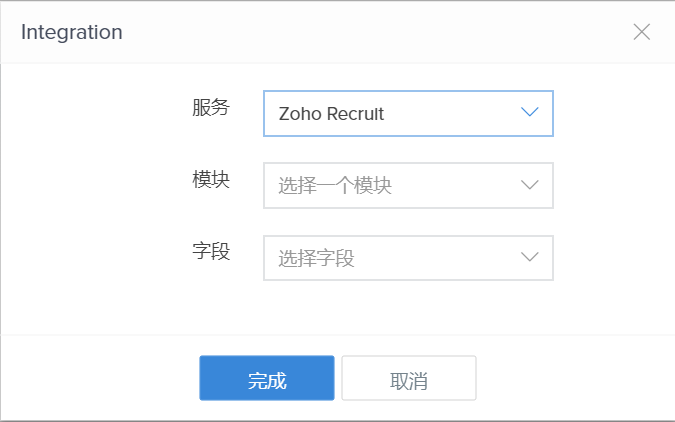
- 选择所需模块和字段,然后点击完成。
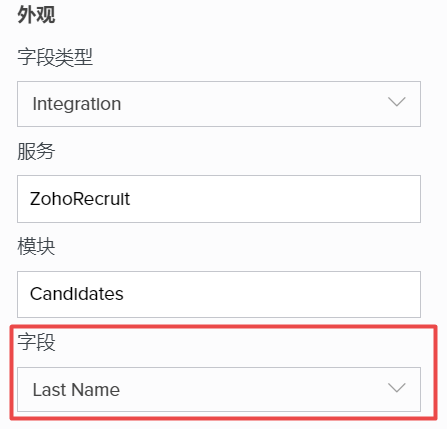
添加 Zoho Recruit 字段后,所选模块和字段将显示在右侧的字段属性 -> 外观分栏中。您将能够将字段更改为所选 Zoho Recruit 模块中的任何可用字段。
在服务旁边的下拉菜单中选择 Zoho Recruit。
添加 Zoho Recruit 字段后,所选模块和字段将显示在右侧的字段属性 -> 外观分栏中。您将能够将字段更改为所选 Zoho Recruit 模块中的任何可用字段。
Write to us: support@zohocreator.com