
Zoho Docs Online Document Management Software Online Document Management Software

Bulk Upload

Bulk Upload

Steps

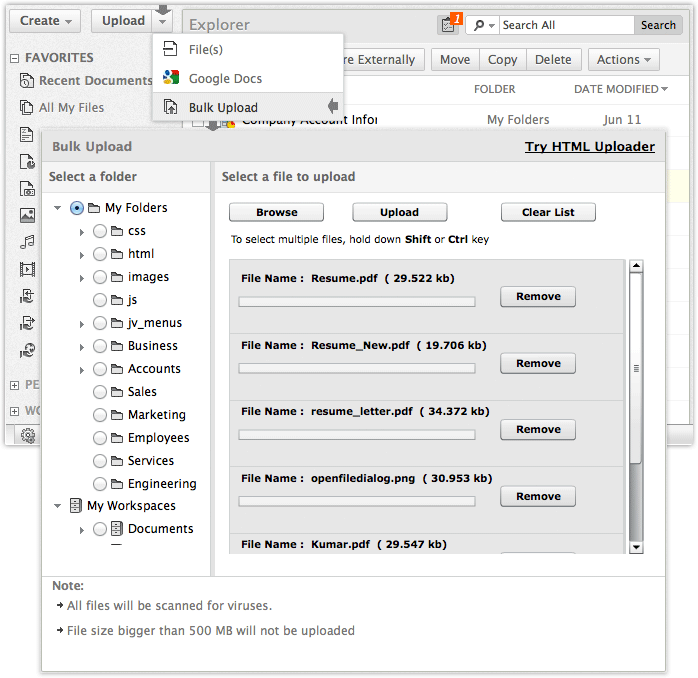
  1. Click on 'upload' button from the top left side panel and select "Bulk Upload" option from drop down menu.
  2. Select a folder to place the document from the left side panel.
  3. Select 'files to upload' option and a dialog will appear.
  4. Select multiple files from the open dialog and click 'OK'.
  5. Click on 'Upload' button, the files will get uploaded to the selected folders.

Note: To select multiple files, Please hold down Shift or Ctrl key.

Affordable document management solution for businessesEnterprise level plans starting at just $3 /month

Follow Us On:

Zoho Home - Forums - Blogs - Privacy Policy - Terms of Service - IPR Complaints - Anti-Spam-Policy - Contact Us - About Us

Zoho Docs - Online Document Management© 2012, ZOHO Corp. All rights reserved