Unsubscribe from shared Workspace
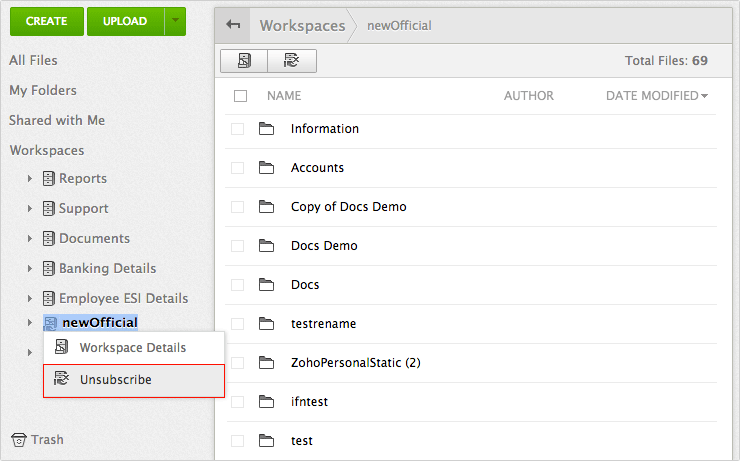
Steps - Select the shared workspace
- Click on 'Unsubscribe' option from the toolbar (OR) Right click and select 'Unsubscribe' option from the displayed menu
- A pop-up screen appears, click on "Ok" to unsubscribe from shared workspace.
|
Affordable document management solution for businessesEnterprise level plans starting at just $3 /month
Sign up now!1GB Free Space
 Online Document Management Software