Document Revisions
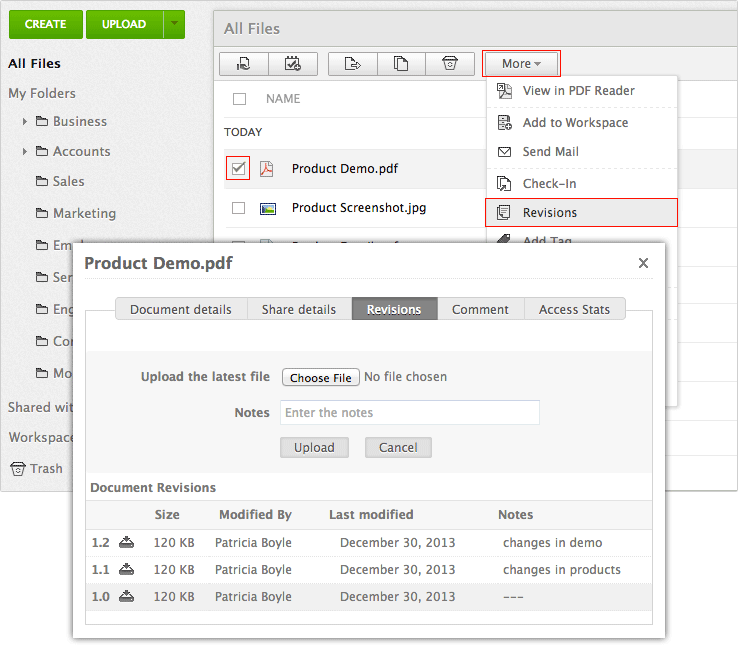
To view document revisions
- Select the file for revision.
- Click on Actions drop-down button in the toolbar and select Revisions option from the drop-down menu.
- A dialog box appears with document version details.
- You can click on the download icon next to each version to revert to that version
- Click Save file to save the file to your local drive.
- You can then make changes in your local drive and upload the latest version of the document by clicking the Browse button
- The uploaded file will be saved as the latest version
Affordable document management solution for businessesEnterprise level plans starting at just $3 /month
Sign up now!1GB Free Space