企业应用集成
BI数据分析
外贸业务管理
CRM
Zoho One
所有产品
低代码平台
低代码平台
低代码概述
自定义应用程序
移动应用开发
在线自助服务门户
人工智能驱动的应用
整合流程
商业智能和分析
业务蓝图
统一的数据模型
自动扩展应用
应用中心
为什么选Zoho
企业架构
数字化转型
旧系统现代化
定制ERP软件
数据管理
数字工作场所
远程工作场所
工作流自动化
公民开发
BPM软件
客户体验管理
低代码
低代码现状
低代码应用开发
低代码平台
低代码开发对比传统应用开发
功能
查看所有功能
构建业务应用
导入数据
文件和数据库
丰富数据
ERP和遗留系统
数据模型
数据采集
表单字段
架构和关系
数据可视化
商业智能BI
仪表盘
自动化
工作流
蓝图
无服务器
通知和计划
审批
Deluge编程语言
集成
工作流集成
统一数据服务
API
个性化
用户体验设计
软件本地化
安全的
Zoho Creator 安全性
Zoho 安全性
合规性
数据隐私
治理
RBAC用户管理
应用和数据管理
部署
门户应用
PWA
MDM
白标应用开发
开发者工具
开发小组件
无服务器功能
API集成
移动SDK
架构和关系
生命周期管理
解决方案
按角色
IT主管
企业架构师
专业开发者
业务经理
按规模
企业
小企业
初创企业
按行业
零售
制造业
教育
物流ERP
非营利组织
IT管理
专业服务
医疗保健
媒体
房地产
酒店旅游
按功能
客户服务管理
营销数字化
销售自动化
财务流程自动化
人力资源管理
业务运营管理
版本与价格
产品定价
支持计划
价格比较
客户案例
资源中心
帮助指南
视频演示
开发者中心
往期活动
低代码知识库
联系我们
联系Zoho Creator
代理伙伴招募
所有 zoho 产品
立即注册
Hey, how can we help?
对手机设置表单布局
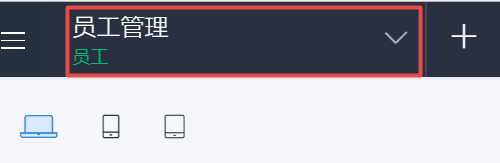
打开如下所示的组件窗格,然后选择所需表单。将显示其“设计”页面。
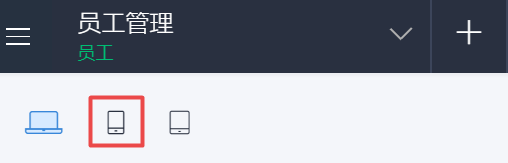
点击左上角的
手机
图标,如下所示:
在右侧显示的
表单定制
下选择所需布局。
Still can't find what you're looking for?
Write to us:
support@zohocreator.com